

ChatGPT is changing the way patients discover healthcare providers, and now there's a new opportunity for clinics to take greater control of their business information.
OpenAI has introduced Business Hub, allowing eligible businesses to claim their listings, verify ownership, and manage certain business details directly through ChatGPT.
Whether you own a chiropractic office, physical therapy practice, med spa, acupuncture clinic, or another healthcare business, here's what you need to know about claiming your business and improving your visibility in AI searches.
Prefer to listen? In this episode of The Clinic Marketing Podcast, I walk through what's new, why it matters for healthcare clinics, and what you should do next.
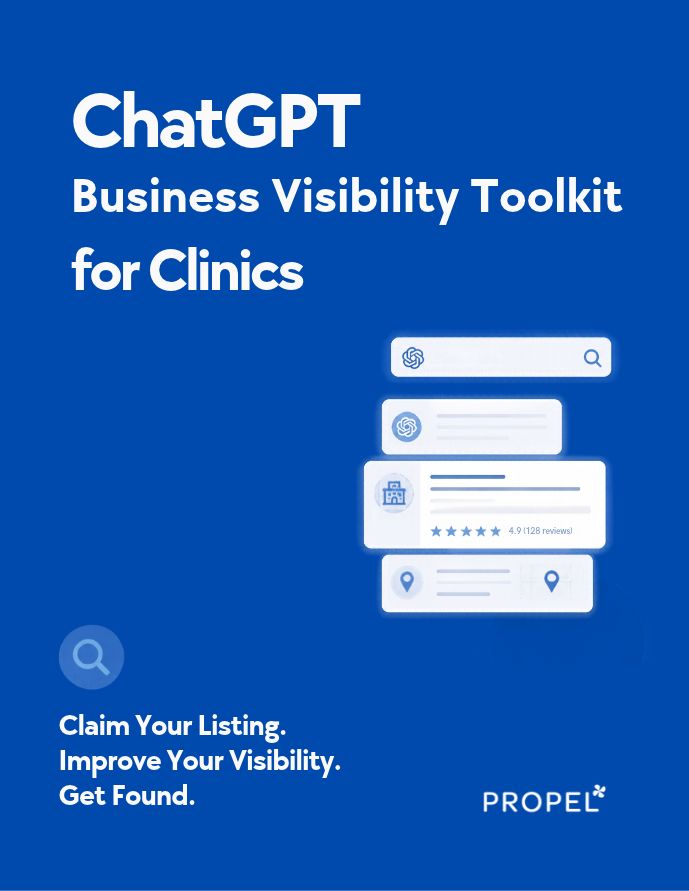
Before you get started, grab our free ChatGPT Business Visibility Toolkit for Clinics.
This practical workbook includes a business listing checklist, clinic profile worksheet, ready-to-use ChatGPT prompts, an AI visibility test, a scorecard, and a 30-day action plan.
It's designed to help you go beyond simply claiming your listing and start identifying opportunities to improve how your clinic is represented in AI searches.
>> DOWNLOAD YOUR FREE CHATGPT VISIBILITY TOOLKIT
What Is a ChatGPT Business Listing?
A ChatGPT business listing is a profile that may appear when someone uses ChatGPT to search for or learn about businesses.
For example, someone might ask:
"Can you recommend a chiropractor in Cincinnati who treats sports injuries?"
"What med spas near me offer microneedling?"
"Where can I find a physical therapist who works with runners?"
"Are there any acupuncture clinics nearby that treat musculoskeletal pain?"
Depending on the question and available information, ChatGPT may provide recommendations for specific businesses.
On November 10, 2026, OpenAI announced Businesses in ChatGPT, including Business Hub, a feature that allows eligible business owners to claim existing listings and manage supported business information.
Business Hub also offers access to aggregate insights, including information about business mentions and website clicks, for eligible verified businesses.
For healthcare clinics, this creates another opportunity to make sure potential patients are finding accurate information about their services.
However, claiming your listing does not guarantee that ChatGPT will recommend your clinic or improve its placement in search results.
Why Should Healthcare Clinics Claim Their Business on ChatGPT?
For years, Google Business Profile has been one of the most important tools for local SEO.
And while Google remains incredibly important, patients are increasingly able to use AI tools to ask more specific, conversational questions about healthcare providers.
Instead of searching for "physical therapy near me," someone might ask ChatGPT:
"Which physical therapy clinics in my area specialize in running injuries and sports rehabilitation?"
That question includes much more information about what the patient is looking for.
The same applies to chiropractic clinics, med spas, acupuncturists, dentists, and other healthcare providers.
Claiming your business on ChatGPT can help you take a more active role in managing supported information about your clinic.
It also gives you an opportunity to explore how your business is being represented within the platform.
But it's important to remember that your business listing is only one piece of your overall AI search visibility strategy.
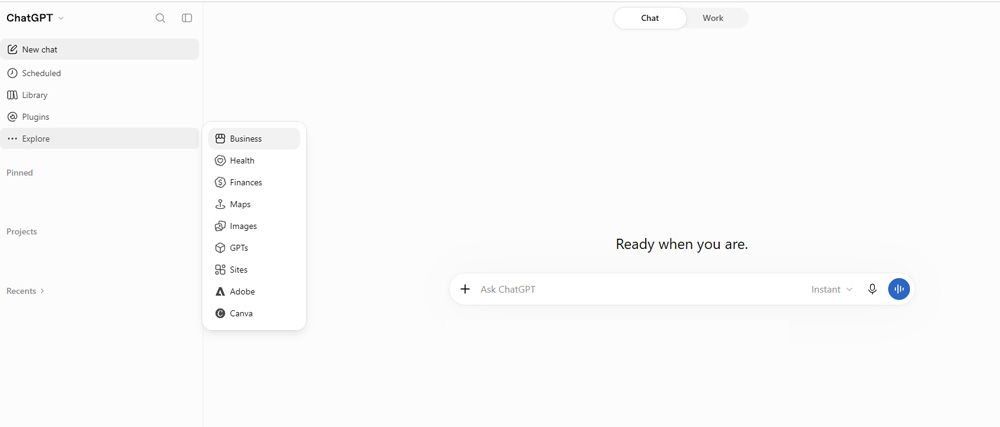
Image from ChatGPT.com
How to Claim Your Business on ChatGPT
The process begins in ChatGPT's Business Hub.
The exact options available may vary depending on your business type, location, and eligibility.
Step 1: Open ChatGPT Business Hub
Start by signing in to your ChatGPT account.
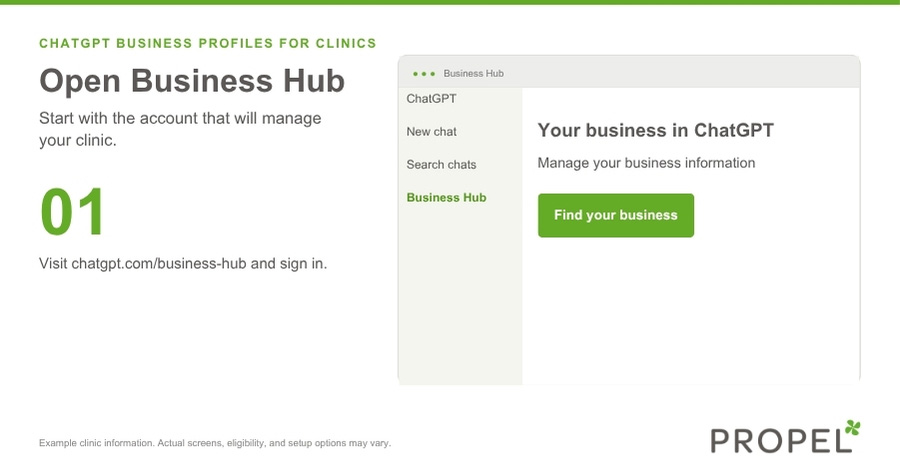
Then navigate to:
You may also see Business Hub in your ChatGPT sidebar.
This is where eligible business owners can search for and claim their business listings.
Step 2: Search for Your Clinic
Once you're in Business Hub, enter your clinic's business name.
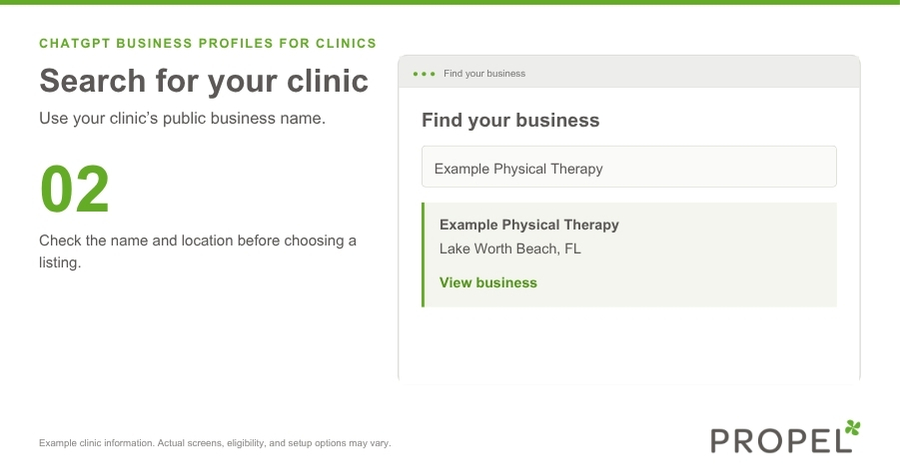
If your business appears, review the information carefully to make sure you're selecting the correct listing.
For clinics with multiple locations, confirm that you're claiming the appropriate location.
Select your business and follow the prompts to begin the claim process.
Step 3: Verify Your Connection to the Business
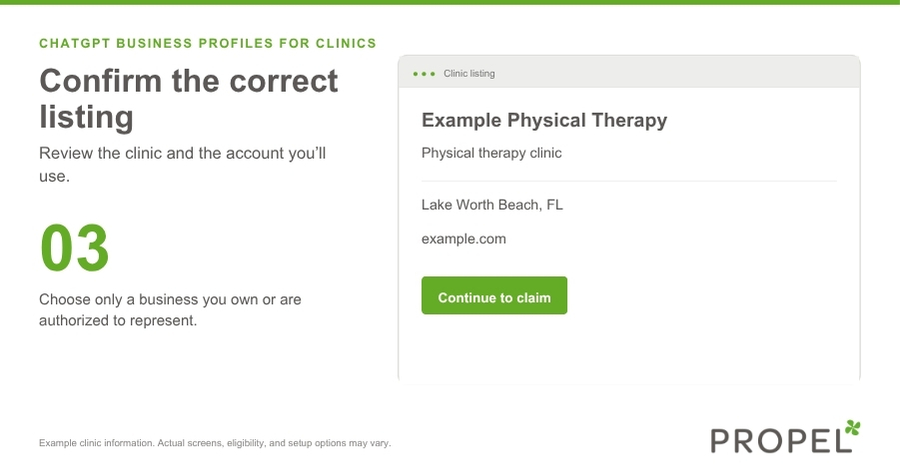
Next, you'll need to demonstrate that you're authorized to represent the business.
Depending on the options offered, verification methods may include:
- Business phone: Receive a verification code through an eligible business phone number.
- Business email: Receive a verification code at an email address associated with your business.
- Website domain: Verify control of your website by adding a DNS TXT record.
Additional methods may be available for certain business types.
For most healthcare clinics, business phone, email, or domain verification will likely be the most relevant options when offered.
If you choose website verification and aren't familiar with DNS settings, your website developer or hosting provider may be able to help.
Step 4: Submit Your Claim for Review
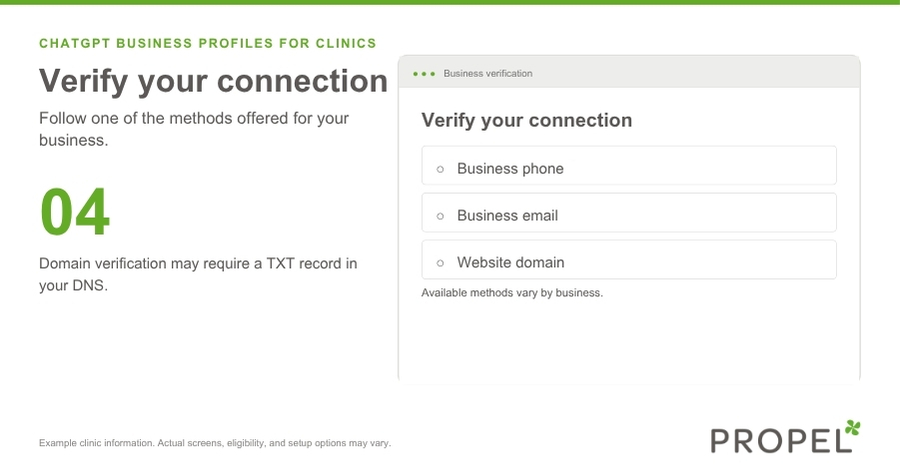
Once you've completed the requested verification steps, your claim may need to be reviewed by OpenAI.
Approval is not necessarily immediate, and you may be asked for additional information.
It's also important to understand that getting your claim approved isn't always the final step.
Step 5: Complete Identity Verification Through Persona
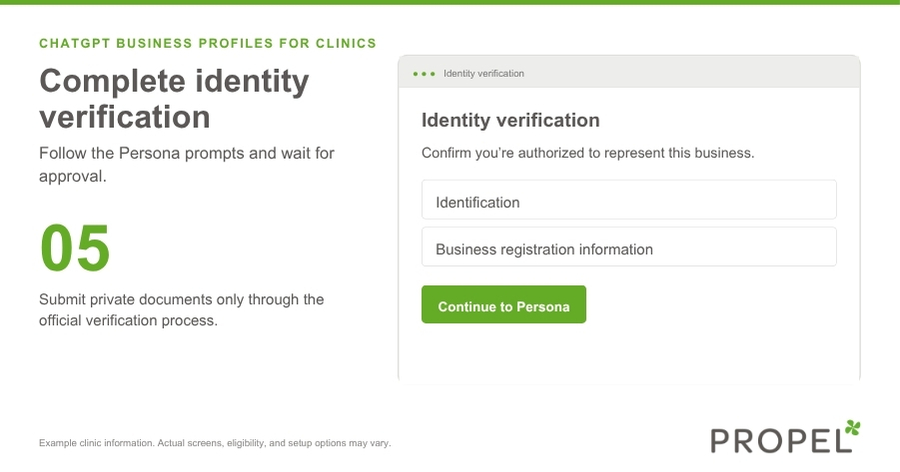
After your business claim is approved, OpenAI requires an additional identity verification process through Persona to unlock certain management features.
You may be asked to provide information such as:
- Government-issued identification
- Business registration documentation
- Proof that you're authorized to represent the business
Follow the instructions provided within Business Hub.
Once the required verification is approved, you can access the features available to your verified business.
Step 6: Review and Optimize Your Business Information
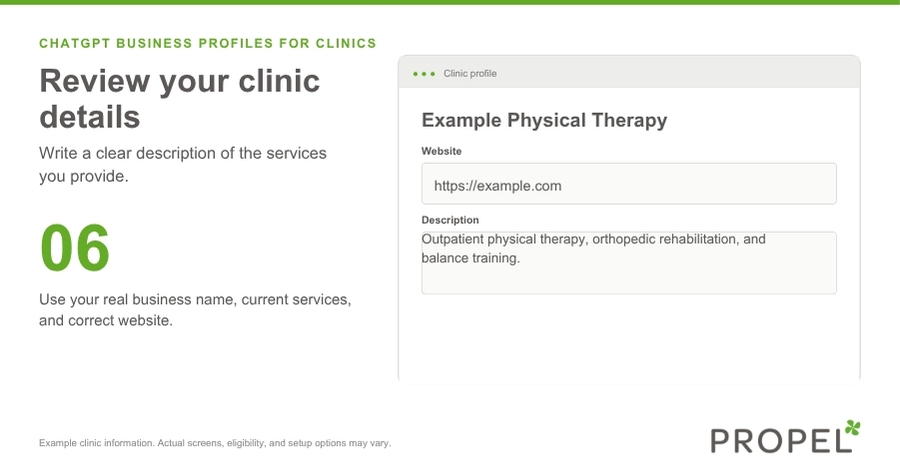
After completing verification, review the business information you're permitted to manage.
Depending on the available features, this may include your business description, website, category, logo, and other supported details.
This is where I encourage clinic owners to be specific.
For example, instead of using a generic description like:
"ABC Chiropractic provides quality chiropractic care to help patients feel better."
Consider something more descriptive:
"ABC Chiropractic is a chiropractic clinic in Cincinnati, Ohio, providing care for patients with back pain, neck pain, and sports-related musculoskeletal concerns. Services include chiropractic adjustments, sports chiropractic care, and individualized treatment plans."
The second description provides more useful information about the clinic's location, services, and specialties.
The goal isn't to stuff your description with keywords. It's to communicate clearly what your clinic does and who it serves.
Keep all information accurate, and avoid unsupported treatment claims.
What if Your Clinic Doesn't Appear in ChatGPT Business Hub?
This is an important distinction.
Claiming an existing business listing and creating an entirely new listing are not necessarily the same thing.
During the initial rollout, OpenAI's guidance indicates that local businesses in the United States can claim eligible existing listings, while creating a brand-new business profile is more limited.
If your clinic doesn't appear when you search Business Hub, it doesn't necessarily mean you've done something wrong.
It may simply mean your business isn't currently available to claim through the self-service process.
Check OpenAI's latest Business Hub documentation for eligibility updates rather than creating a duplicate or inaccurate listing.
In the meantime, continue strengthening your website and other business profiles.
What if Someone Else Has Already Claimed Your Business?
If your clinic's listing has already been claimed, you may see an option to dispute ownership.
Follow the instructions in Business Hub to demonstrate your authority to manage the business.
For clinics working with a marketing agency, I recommend that the business owner or another authorized representative maintain ownership of the listing.
You can then provide appropriate access to your marketing team or agency through the available Business Hub features.
This is similar to the approach I recommend for Google Business Profiles and other important business accounts.
Will Claiming Your Business Help Your Clinic Rank Higher in ChatGPT?
This is probably the biggest question clinic owners have.
And the answer is that claiming your listing does not guarantee better visibility or higher placement in ChatGPT recommendations.
OpenAI has made it clear that claiming a business doesn't control ChatGPT's independent recommendations.
But claiming your listing is still worth exploring because it provides eligible businesses with tools to manage supported information and better understand their presence on the platform.
If your goal is to increase your clinic's visibility in AI searches, you'll also need to look at your overall online presence.
5 Ways to Improve Your Clinic's Visibility in AI Searches
1. Make Sure Your Website Clearly Explains Your Services
Your website should make it easy for both potential patients and search tools to understand what your clinic offers.
For example, if your chiropractic clinic offers shockwave therapy, sports chiropractic care, or rehabilitation services, those services should be clearly explained on your website.
The same applies to med spas offering microneedling or laser treatments and physical therapy clinics specializing in sports rehabilitation.
Dedicated service pages can provide more useful information than simply mentioning everything in a long list.
2. Highlight Your Specialties
What makes your clinic different?
Maybe you're a chiropractor who works primarily with athletes.
Maybe your physical therapy clinic specializes in runners.
Or perhaps your med spa focuses on particular aesthetic services.
Your website should communicate those specialties clearly.
When someone asks ChatGPT for a provider with specific experience or services, having accurate and detailed information available online can help establish what your clinic actually offers.
3. Keep Your Business Information Consistent
Review your clinic's name, address, phone number, website, and other important information across your online presence.
That includes your Google Business Profile, relevant healthcare directories, and other trusted business listings.
Consistent information helps patients find accurate details about your clinic and reduces confusion.
4. Publish Helpful Content That Answers Patient Questions
Think about the questions your potential patients ask before booking an appointment.
For example:
- What is shockwave therapy used for?
- What should I expect at my first chiropractic appointment?
- How does microneedling work?
- When should someone see a physical therapist for a running injury?
Helpful service pages, FAQs, and blog posts can make your website a more useful resource.
And these improvements can support your traditional SEO strategy as well.
5. Test What ChatGPT Says About Your Clinic
Have you actually searched for your clinic in ChatGPT?
Not just by business name, but using the kinds of questions a potential patient might ask.
Try prompts like:
"Can you recommend a chiropractor in [City] who treats sports injuries?"
"What med spas in [City] offer microneedling?"
"Where can I find a physical therapist in [City] who specializes in runners?"
Then look at the responses.
Does your clinic appear? Are your competitors being mentioned? Is the information accurate?
Remember, ChatGPT responses can vary based on the wording of a question, location, and other factors. A single test isn't a reliable ranking report.
But it can be a helpful starting point for identifying potential visibility gaps.
Want help testing your clinic? Our free ChatGPT Business Visibility Toolkit for Clinics includes five ready-to-use prompts, a visibility scorecard, and a 30-day action plan.
Claim Your Listing, Then Focus on Your Overall Visibility
ChatGPT Business Hub is another example of how online business discovery is evolving.
For healthcare clinics, it's an opportunity to take a more active role in managing business information on a platform that patients may use to research providers.
But don't stop at claiming your listing.
Your website, Google Business Profile, service pages, and other online information still matter.
The goal is to make sure that wherever potential patients are searching, they can find accurate, helpful information about your clinic.
Ready to see how your clinic measures up?
Download the free ChatGPT Business Visibility Toolkit for Clinics to review your business listing, test your AI search visibility, identify potential gaps, and build a practical action plan.
And if you need help improving your clinic's website, SEO, or overall online visibility, Propel Marketing & Design specializes in helping healthcare clinics get found online.
Frequently Asked Questions About ChatGPT Business Listings
Is it free to claim a business on ChatGPT?
OpenAI's initial Business Hub claiming process does not require a paid advertising account or ChatGPT Enterprise subscription. Eligibility and verification requirements still apply.
Do I need a paid ChatGPT subscription?
A paid ChatGPT Business workspace subscription is not required solely to claim an eligible business listing through Business Hub.
Can I add a new clinic if it's not listed?
Not all local businesses can create new profiles through the initial self-service process. Check current eligibility guidance if your clinic isn't found.
How long does ChatGPT business verification take?
Verification times can vary. OpenAI may review your claim and Persona identity verification separately, and additional documentation may be requested.
Can my marketing agency manage my listing?
Business Hub supports teammate and agency access for eligible accounts. Clinic owners should maintain appropriate ownership and authorize access as needed.
Does a verified listing guarantee that my clinic will appear in ChatGPT recommendations?
No. Claiming and verifying a business does not guarantee placement or higher rankings in ChatGPT responses.
Listen on...


Get our next podcast episode delivered directly to your inbox:
We'll email you when we release new episodes.